Electronic chalkboard
Add the project name, work type, location, dimensions and sketches on screen, then save them with the photo.
Chalkboards can be edited in real time and reused to make shooting more efficient.
Site photo app for Android with an electronic chalkboard
This Android app is designed specifically for photographic records at construction sites. Its built-in electronic chalkboard lets you overlay and save project information on each photo, providing a simple digital replacement for a physical chalkboard.
Familiar camera controls make zooming and taking photos intuitive. It is useful for construction professionals as well as anyone who wants to save text notes with photos.
The app can work with My Page on the web in the full-feature version, letting you view and manage photos, personal chalkboards and sketches by project. Photos are uploaded to My Page automatically as they are taken, so no separate send operation is needed. Captured photos can also be uploaded to cloud services such as Box and DropBox for organization, sharing and backup at the site.
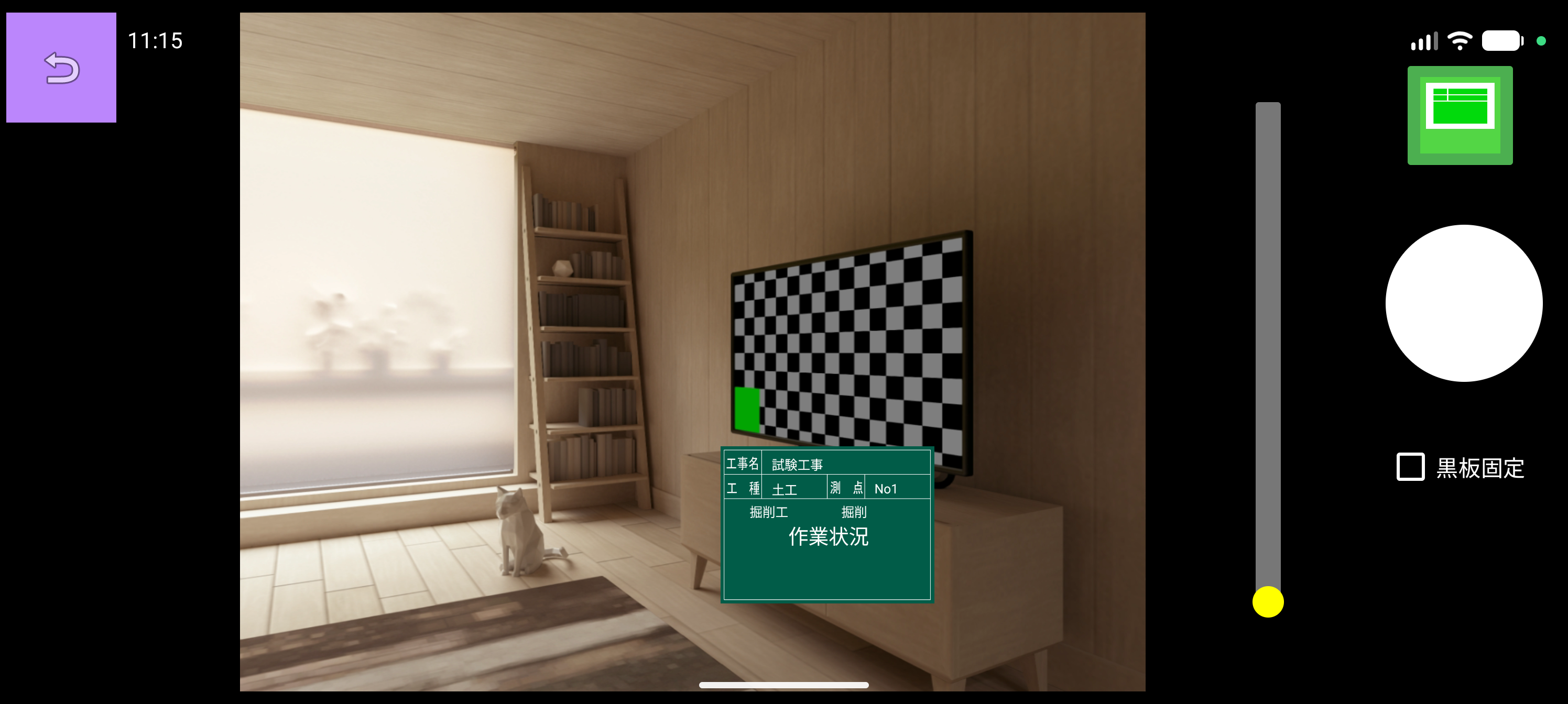
Add the project name, work type, location, dimensions and sketches on screen, then save them with the photo.
Chalkboards can be edited in real time and reused to make shooting more efficient.
Review each photo immediately to spot unreadable information or missing records.
Upload captured photos to cloud services that support Box and DropBox. This helps with organization, sharing and backup.
My Page works with the app so photos, personal chalkboards and sketches can be viewed and managed on the web by project.
Captured photos are uploaded automatically, with no need to tap Send.
Download the app from Google Play. It supports Android smartphones and tablets running Android 6.0 or later. Basic features are free to use, and the full-feature version can be purchased in the app.